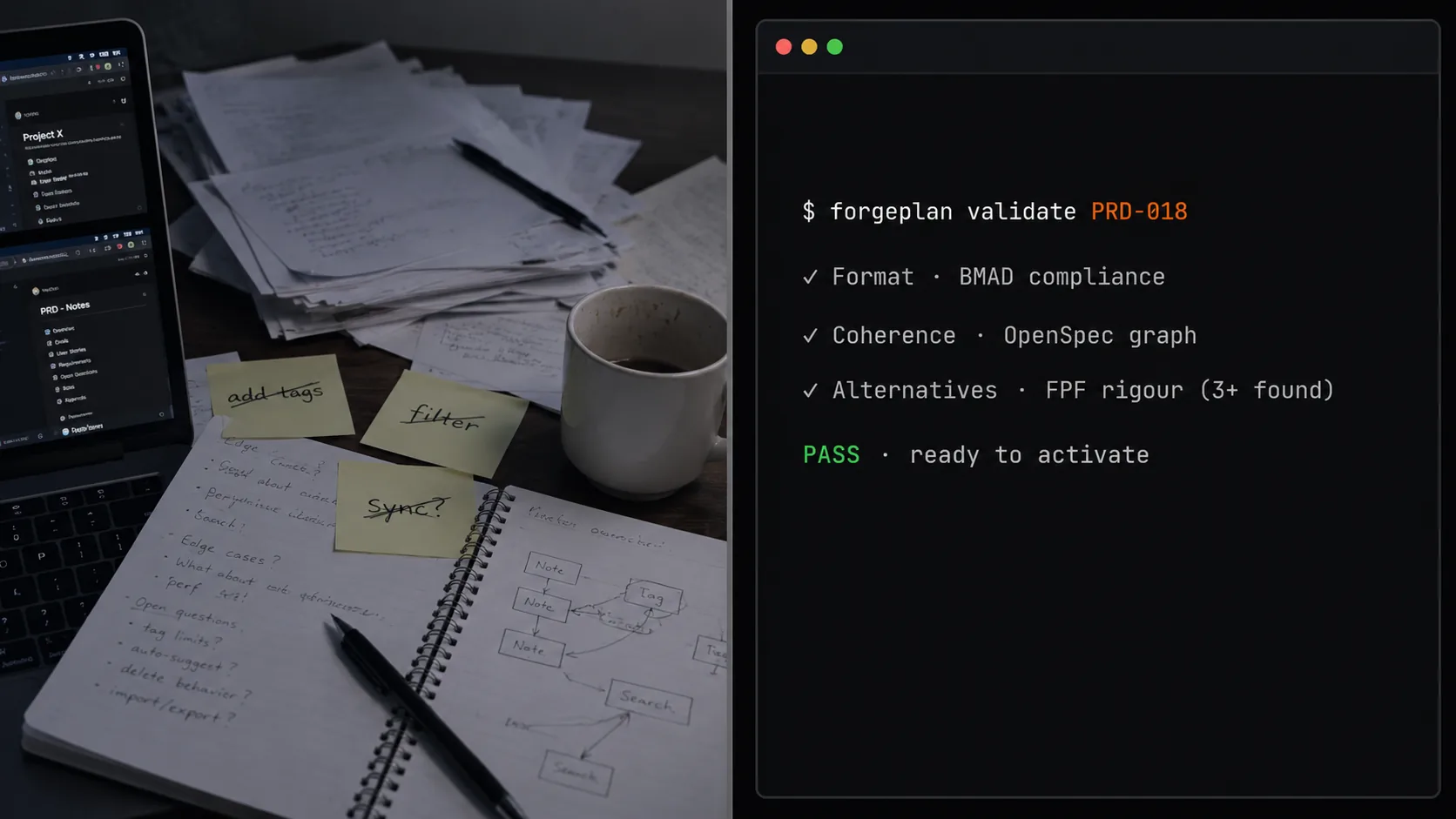
A waiter doesn't keep the price list, dish ingredients, taxes, and loyalty points in their head. They press buttons on a terminal, and the terminal remembers everything. Forgeplan is a POS terminal for methodologies: four ways of working in one plane, so you pick the content and the mechanics stay out of the way.
The POS analogy
When a waiter takes an order, they don’t hold the price list, the dish ingredients, the VAT rate, discount cards, and loyalty points in their head. They press buttons on a POS terminal, and the terminal remembers everything.
The waiter’s job is to choose a dish, clarify the customer’s preferences, carry over the drink. The terminal’s job is to format it correctly, calculate the total, apply the right discount, send the order to the kitchen, print the receipt. These two roles are separated - and that’s exactly why a restaurant scales: a new waiter is trained in an hour, because they don’t need to memorize the price list.
In software development we traditionally require engineers to hold the price list, the dishes, and the tax rate in their heads simultaneously. What format does a PRD use? How many sections? Where does the decision record go? How do you link it to tests? When do you reassess an architectural choice? Every team reinvents its own set of habits, and every new developer spends their first weeks “learning our decision culture.”
I want to break down what a “POS terminal for development methodologies” looks like - and why its role isn’t “yet another methodology on top,” but rather a tool that holds already-existing methods in one plane and takes the mechanical work off the human.
What Forgeplan takes off your plate
In previous posts in this series I walked through several ways of working: BMAD for designing features through four phases; OpenSpec for disciplined specification work through the delta format and dependency graph; the ADI principle for generating three versions before committing; the R_eff formula for rating the reliability of decisions through the weakest evidence link.
Each of these methods was developed independently, with its own authors and communities. But in real work they complement each other: BMAD designs the feature, ADI picks one of three architectural options, OpenSpec fixes the contract between components, R_eff rates the reliability of the whole package.
Forgeplan is a tool that assembles these four approaches into a single workflow. Concretely:
- The BMAD 13-section PRD template is built into the
forgeplan new prdcommand. It creates a file with the structure already marked up. - The OpenSpec delta-spec format is built into the
forgeplan new speccommand. ADDED / MODIFIED / REMOVED - the structure is ready. - The DDR structure with six sections (including reopen conditions) is built into the
forgeplan new adrcommand. An Architecture Decision Record (ADR) is created as a file with a mandatory reopen-trigger section. - The F/G/R rating for each piece of evidence is built into the
evidencedocument format. When you create evidence, you fill in three axes and the context-match level.
These formats weren’t invented from scratch - they come from public sources: BMAD, OpenSpec, ideas on three-axis evidence rating from decision-making literature. Forgeplan just assembles them into one workflow and doesn’t let you skip the mandatory parts.
What stays with the human
A POS terminal doesn’t choose for the waiter what to prepare - it only formats the choice. Forgeplan doesn’t write the content of decisions for the team - it only provides the right format for recording them.
What stays with the human:
- The content of the decision. Which architectural option to pick. Which alternatives to consider. What reasons to reject some and accept others.
- Business context. Which trade-offs are acceptable, which aren’t. Which client matters. Where the boundaries of scope lie.
- Understanding the team. Who can work with which technology. Where you’re strong, where you’re weak.
- The final call. Among the three versions the AI generated and the five the tech lead proposed - which one is right for this specific context.
That’s not a little. That’s the entire substantive part of the work. Forgeplan simply removes the mechanical part - it doesn’t let you skip sections, doesn’t let you forget a reopen condition, doesn’t let you activate a decision without evidence.
Ten record types, six in active use
Forgeplan has ten record types. That sounds like “a lot to absorb,” but in practice six of them cover 95% of tasks, and the remaining four are for specific situations.
The active six:
- PRD (Product Requirements Document) - a product requirement with 13 sections. What we’re building and why.
- RFC (Request for Comments) - an architectural proposal with implementation phases. How we’re building it.
- ADR (Architecture Decision Record) - a record of an architectural decision with six sections. Why exactly this way.
- Spec - a system behavior specification with delta format. The contract between components.
- Epic - a group of PRDs/RFCs/ADRs unified by a common goal. For when a task is too large for one PRD.
- Evidence - a proof with an F/G/R rating and context level. What we’re basing the decision on.
The four situational types:
- Problem - a record of a problem with context, before choosing a solution.
- Solution - an examination of two or three options for solving the problem.
- Note - a micro-decision that auto-expires after 90 days.
- Refresh - a re-evaluation of a stale decision.
Each record is a markdown file in the .forgeplan/ directory. Links between them are fixed in frontmatter: parent: PRD-018, informs: ADR-001, supersedes: ADR-005. The files live in the code repository - same branches, same review flow, same commit messages.
Routing: which set of records do you need?
One of the most frequent questions in teams: “Do we need a PRD here?” That’s a question teams love to spend hours debating. The Forgeplan command forgeplan route "your task" answers in half a second.
The routing logic is based on four depth levels:
- Tactical: a trivial task, reversible within a day. One file, one developer. No records, no ADR. Just code and a commit message.
- Standard: a feature taking 1-3 days with one meaningful choice. PRD + RFC.
- Deep: an irreversible task taking 1-2 weeks with an architectural decision. PRD + Spec + RFC + ADR. ADI (three-version analysis) - required.
- Critical: a cross-team task, a strategy. Epic + multiple PRDs + multiple Specs + multiple RFCs + multiple ADRs. ADI + review.
The forgeplan route command didn’t “find the ultimate truth” - it spared the team from an argument that doesn’t move work forward. If the developer and manager disagree with the recommendation - they argue for five minutes and decide for themselves. But in 80% of cases the recommendation is accepted, and the team saves an hour of debating “do we need a PRD here.”
Checks before approval
Inside forgeplan validate, three independent checks happen:
- Document format (source: BMAD). Are all 13 PRD sections filled in? Are success metrics expressed with numbers and thresholds? Is there no “implementation leakage” from requirements into technical decisions?
- Spec consistency (source: OpenSpec). Are all references between specs valid? Do delta changes carry a reason? Is there no drift between specs and implementation?
- Sufficient alternatives (source: ADI/FPF principle). Does the ADR include at least three options considered? Is each rejected option accompanied by a concrete reason?
Not “bureaucracy” - specific errors with guidance on what to fix and where. “PRD-018: the ‘Success Metrics’ section contains the phrase ‘improve user experience’ without a numeric threshold.” “ADR-005: only two options considered, minimum is three.” “Spec-012: the reference to Spec-008 points to an outdated version.”
Teams that work with checklists for code builds - linters, formatters - quickly understand the analogy. forgeplan validate is a linter for decisions.
Activation as the point of no return
After forgeplan activate, the file becomes immutable. Changes are only possible by creating a new file that explicitly replaces the old one - via the forgeplan supersede command.
This gives you an honest history of decisions: you can see what was decided then, what was decided later, and in what order. Not “a file overwritten without a trace,” but a timeline. Two years from now you can open ADR-005, see “superseded by ADR-019 in April 2027 for reason X,” and go to ADR-019 for the current version. ADR-005 is open for reading, but marked as historical.
Without this mechanism, teams lose historical context. Someone overwrites the old ADR with a new one, and a year later it’s impossible to answer “why did we first pick JWT and then switch to sessions.” The file shows only the final state. With the supersede mechanism - both ADRs are accessible, the reasons for transitions are visible, and any decision can be traced through time.
A concrete example: the streaming endpoint for Vault
The Vault team is adding the endpoint GET /query/stream - a streaming response from the model for long queries. The full path through Forgeplan:
forgeplan route "Add streaming endpoint GET /query/stream" - returns “depth: deep, you need PRD, Spec, RFC, ADR, ADI required.”
forgeplan new prd "Streaming endpoint for model queries" - creates PRD-018 with 13 sections, ready to fill. The project manager takes 30 minutes to fill in the goal, audience, metrics (first token in 800ms, total response time in 5 seconds), functional requirements, non-goals (not caching streaming in MVP), risks (a slow model provider delays the first token).
forgeplan validate PRD-018 - three checks, finds “edge cases section is empty.” The manager adds three edge cases.
forgeplan reason PRD-018 - generates three hypotheses for the architectural decision: SSE (Server-Sent Events), WebSockets, HTTP/2 push. For each - a testable consequence.
forgeplan new rfc "Streaming via SSE" - creates RFC-007 describing the implementation. The link to PRD-018 is set automatically via parent: PRD-018.
forgeplan new adr "Use SSE for streaming responses" - creates ADR-012 with six sections: context, three options, evidence, decision, rejected alternatives, reopen conditions.
forgeplan new evidence "SSE benchmark on staging" - after implementation. The measurement shows a p50 first-token of 180ms. Filled in as F=7, G=8, R=8, CL3 (our own measurement on our own load).
forgeplan link EVID-001 ADR-012 --relation informs - links the evidence to the decision.
forgeplan score ADR-012 - R_eff = 0.9, all three checks are green.
forgeplan activate ADR-012 - the decision moves to active state. The file can no longer be edited directly - only through forgeplan supersede.
Six months later, a reopen condition fires: traffic grew tenfold and the p95 first-token crept up toward 700ms. The Forgeplan command forgeplan stale shows ADR-012 as a review candidate. The team sits down, reads the old alternatives, either renews (renew with a new condition marker) or makes a new decision (supersede). The cycle closes.
What to read next
This is the seventh post in the series. The previous six are behind us - each one broke down one aspect of working with decisions. Forgeplan is the tool that assembles them into a single workflow.
In the next post (the series capstone) I’ll walk through the full cycle on one real task: from a line in chat to a decision record with a reopen condition. Seven steps on one feature - how all the methods from the series fit together.
If you want to try Forgeplan now - it’s open source on GitHub. It’s a command-line tool as a single binary, installed via cargo install forgeplan or downloaded as a prebuilt release. Local, no cloud, no subscription. The .forgeplan/ directory lives in your repository, sync is through git. The full set of interactive walkthroughs for all ten record types is at /guides.
Previous posts in the series: